
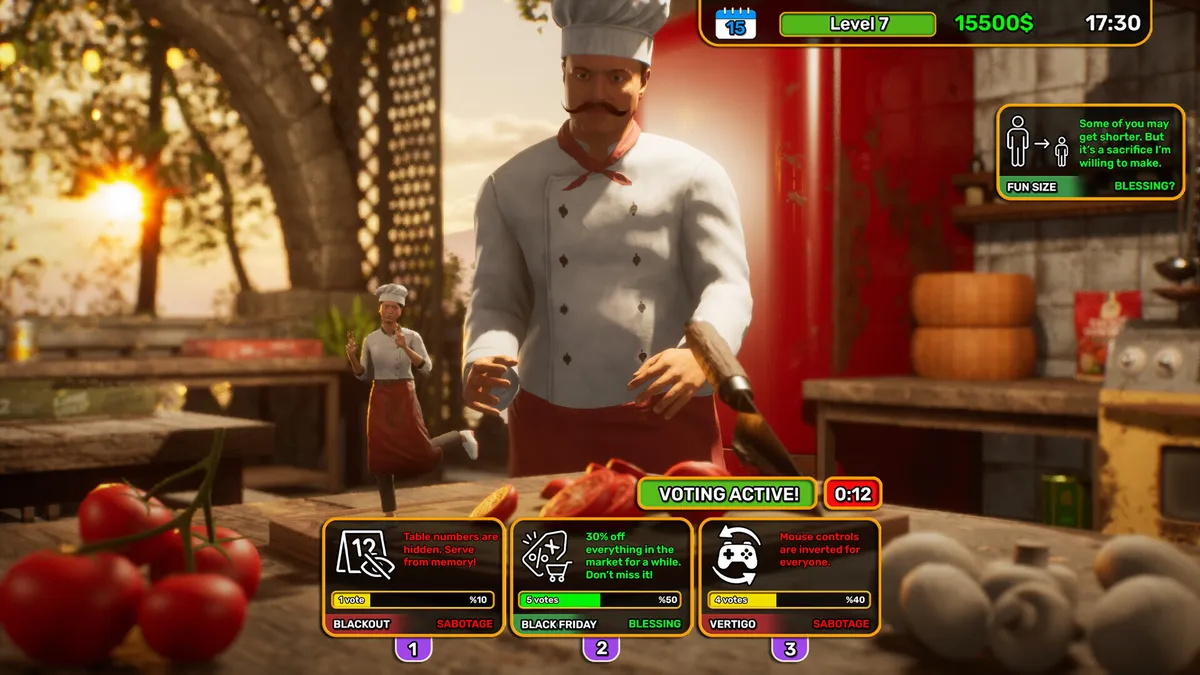
What Twitch integration does
Official Confirmed: Pizza House Simulator includes Twitch integration. The Steam description says streamers can invite viewers directly into the restaurant and interact with them in real time.
Full Release Video Tested: the in-game computer/menu shows a Streamer Mode or Twitch integration entry in multiple full-release videos.
What is not yet verified
The source set used for this launch does not contain a complete start-to-finish authentication walkthrough. That means this guide will not invent OAuth tokens, callback URLs, channel IDs or commands that have not been demonstrated.
If you see an article elsewhere that gives a long token-copying process, verify it against the current in-game Streamer Mode screen before entering credentials.
Safe connection checklist
- Open the in-game computer and find Streamer Mode/Twitch integration.
- Read the current on-screen connection prompt.
- Use only the official authorization page opened by the game.
- Test with one viewer interaction before enabling it during a live session.
- If the flow differs from this page after a patch, trust the current game UI and official patch notes.
Q&A
Does Pizza House Simulator support Twitch integration?
Yes. The official Steam page confirms Twitch integration and real-time viewer interaction.
Where is streamer mode?
Full-release videos show a Streamer Mode/Twitch entry on the in-game computer/menu.
What OAuth token do I paste?
This guide does not provide an unverified token workflow. Follow the current in-game authorization screen instead.